What follows is what we've learned building design systems from scratch and inheriting broken ones. We've worked with TopDecked (digital offering of Magic the Gathering), iOFFICE (a room reservation app), Eptura (Workplace Enterprise Software), and on special projects for educational tech, healthcare tech, and gen AI tech. The wisdom shared here we've earned by working with skilled and fast-moving development teams.
Design Systems That Work, Scale, and Compound Product Value
Great design systems aren't defined by impressive Figma files. Great design systems are consistently used by product teams 6 months after launch.
We've seen beautifully crafted systems sit untouched by development because they were built in isolation; the design team's masterpiece that engineering can't understand and won't adopt.
We've also seen scrappy, imperfect systems become the connective tissue of entire organizations because the contribution model made sense and documentation was explicit on edge cases.
We've concluded beautiful AND useful design systems get these 4 things right:
- Naming conventions.
- Documentation.
- Contribution models.
- Governance.
1. Design System Naming Conventions (Hard to Fix "Later")
If you get naming wrong, you might pay for it forever.
Design system naming conventions are one of those decisions that may feel inconsequential at the start but become enormously impactful at scale. By the time you have 300 components and four product teams working in parallel, a loose or inconsistent naming schema creates consistent pain points: Tokens that don't map to code, component names don't match what engineers call them, and variants are duplicated because the original wasn't recognized.
The principle we keep coming back to: names should describe what a thing is, not what it looks like.
color/brand/primary ages well. color/purple-600 doesn't. Not once the brand refreshes. Not once you're theming for a white-label client.
Here's a naming framework we've refined across multiple builds:
For tokens:
- Use a three-tier structure:
category/role/modifier - Example:
color/feedback/error,spacing/layout/section,typography/heading/xl - Semantic names at the role tier, never raw values
For components:
- The atoms, molecules, and organisms framework (popularized by Atomic Design) is useful for structuring a system, but it's internal scaffolding, not a naming convention. Don't ship component names like
AtomButtonorMoleculeCard. Name for the mental model:Button,Card,Toast. - Match names to the closest plain-English concept your teams already share
DropdownoverSelect Menu,TagoverChip, unless your engineering team already uses one convention, in which case defer to them- Variant naming should be consistent across components: if one component uses
size: sm/md/lg, they all do
For states:
- Align with ARIA and HTML standards where possible:
disabled,active,focus,error,loading - Avoid inventing new state names when a standard one exists
One hard-won lesson from our enterprise work: when you're building a system that will serve multiple product lines, write a naming glossary before you design a single component. Getting alignment on what words mean in your organization is worth a full working session. What does "primary" mean? What's the difference between a "panel" and a "card"? Settle it early. On the Eptura design system project, where we were unifying components across more than ten products, this glossary step saved weeks of rework downstream.
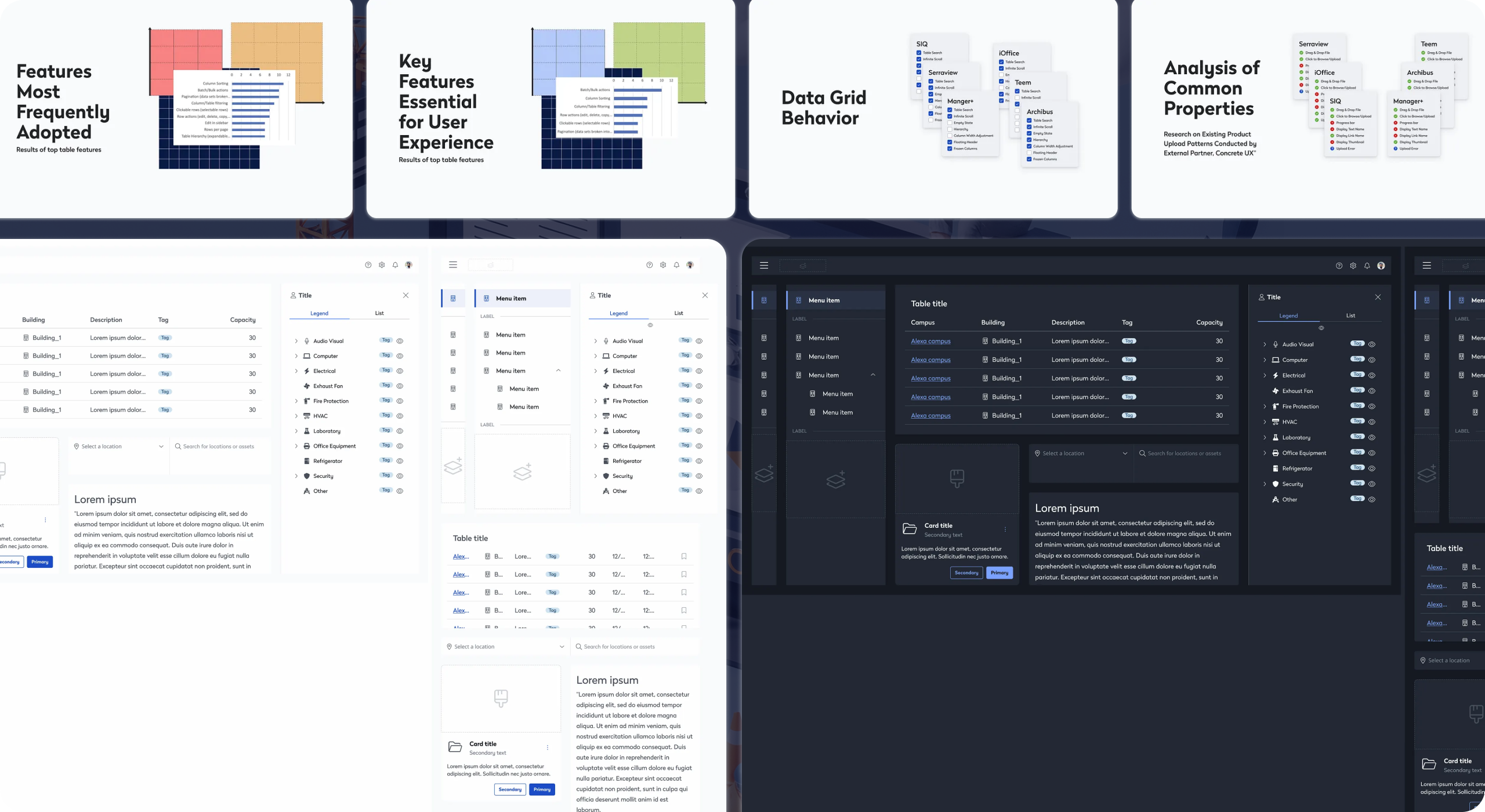
showcase image of Eptura design system deliverables in light and dark mode
2. Design System Documentation Examples (Writing for the Person Stuck at 11pm)
Most design system documentation has the same problem: it documents the happy path.
It shows the component looking perfect, lists the props, includes a do/don't pair. What it doesn't tell you is what happens when this component sits inside a modal that's inside a drawer. What's the right choice between a Toast and an inline Alert? When should you not use this?
The best design system documentation examples we've encountered read less like API docs and more like annotated judgment. They assume the reader is a competent designer or engineer who just doesn't have context yet, not a beginner who needs to be walked through the basics.
What good documentation includes:
- Intent: Why does this component exist? What problem does it solve?
- When to use / when not to use: Both sides, with real specificity. "Don't use a Modal for destructive actions that can't be undone" is useful. "Use appropriately" is not.
- Decision rationale: Why is this variant missing? Why did we choose this default? Teams that inherit a system six months later will want to know.
- Known limitations: Every component has edges. Document them. It builds trust and saves everyone time.
- Code parity notes: If the Figma component and the code component diverge (and they will), say so explicitly and explain why.
On tooling: whether you use Storybook, Zeroheight, Supernova, or a well-tended Notion setup matters less than whether the documentation is maintained and actually discoverable. Among design system management tools, the best one is the one your team will keep current. A perfectly architected docs site that's six months out of date is worse than a simple page that's accurate.
One practice worth stealing: write documentation for a component before you design it. It forces you to articulate what it's for and what it isn't for. It catches scope creep before it's baked in. And it gives the team something real to react to in review.
3. Design System Contribution Model: A System Versus a Library
A library is maintained by one team. A design system is maintained by everyone who uses it. This determines whether the system stays alive as the product evolves, or slowly drifts into irrelevance while teams build workarounds.
A design system contribution model is the set of processes, norms, and guardrails that govern how new components get proposed, built, reviewed, and promoted into the system. Without one, you get one of two failure modes:
Closed-system calcification: the core team is a bottleneck, new components take weeks to land, teams stop asking and start forking.
Open-system entropy: anyone can add anything, quality degrades, naming conventions collapse, trust evaporates.
The contribution model we've found most durable sits between these extremes. It borrows from open-source contribution norms and looks like this:
Proposal stage: Any contributor can propose a new component using a lightweight RFC (Request for Comment) template. The template asks: what problem does this solve, does anything like it already exist, and where will it be used first? This filters out duplicates and under-scoped additions before design work starts.
Build stage: The proposing team does the initial build, working against system standards. The system team provides guidance and reviews, but doesn't do the build. That tradeoff is what makes contribution sustainable.
Review stage: A defined checklist, not subjective judgment. Does it use tokens correctly? Is it accessible? Does the documentation meet the bar? Can it be used in at least three distinct contexts (the rough threshold for "is this actually a system component or a one-off")?
Promotion stage: Once reviewed, the component enters the system with clear ownership. Who maintains it when the original team moves on?
The contribution model also has to address how to handle disagreement. What happens when a product team ships something that doesn't meet standards? The answer can't be to ignore it. That's how shadow systems grow. The answer is a documented path to bring it back into alignment on the next cycle.
Our design-system work streamlined delivery across Eptura and supported scale to 16.3M+ users worldwide. The initiative was nominated for the Zeroheight Design System Award for Best Governance, recognizing the value of our governance approach and its impact on Eptura's product ecosystem.
— Zeroheight Design System Awards
4. Design System Governance Models: Boring Word, Critical Function
Who decides when a component is deprecated? Who resolves conflicts between what design wants and what engineering has capacity to build? Who owns the system when the person who built it leaves?
These are questions that guide the normal lifespan of a production design system. Clear design system governance models are what separates systems that compound in value from ones that accumulate debt faster than they retire it.
The governance structures we've seen work:
Small teams (1 to 3 product squads): A single "system steward," usually a senior designer or design engineer, with a standing 30-minute weekly sync with key engineering stakeholders. Lightweight, but explicit. The steward has final say on system decisions and the standing to say no.
Mid-size teams (4 to 10 product squads): A small design system guild that meets bi-weekly. Representatives from product teams who aren't full-time on the system but are accountable for their team's contribution quality. Decisions made by rough consensus, with the core team holding the tiebreaker.
Enterprise scale: A formal design systems team (2 to 5 people) with a product roadmap, OKRs, and a versioned release cadence. At this scale, the system is a product and should be treated like one, with a backlog, a changelog, and a defined process for breaking changes. This is close to the model we helped establish during our iOFFICE and Eptura work, where the system needed to serve a portfolio of workplace SaaS products simultaneously.
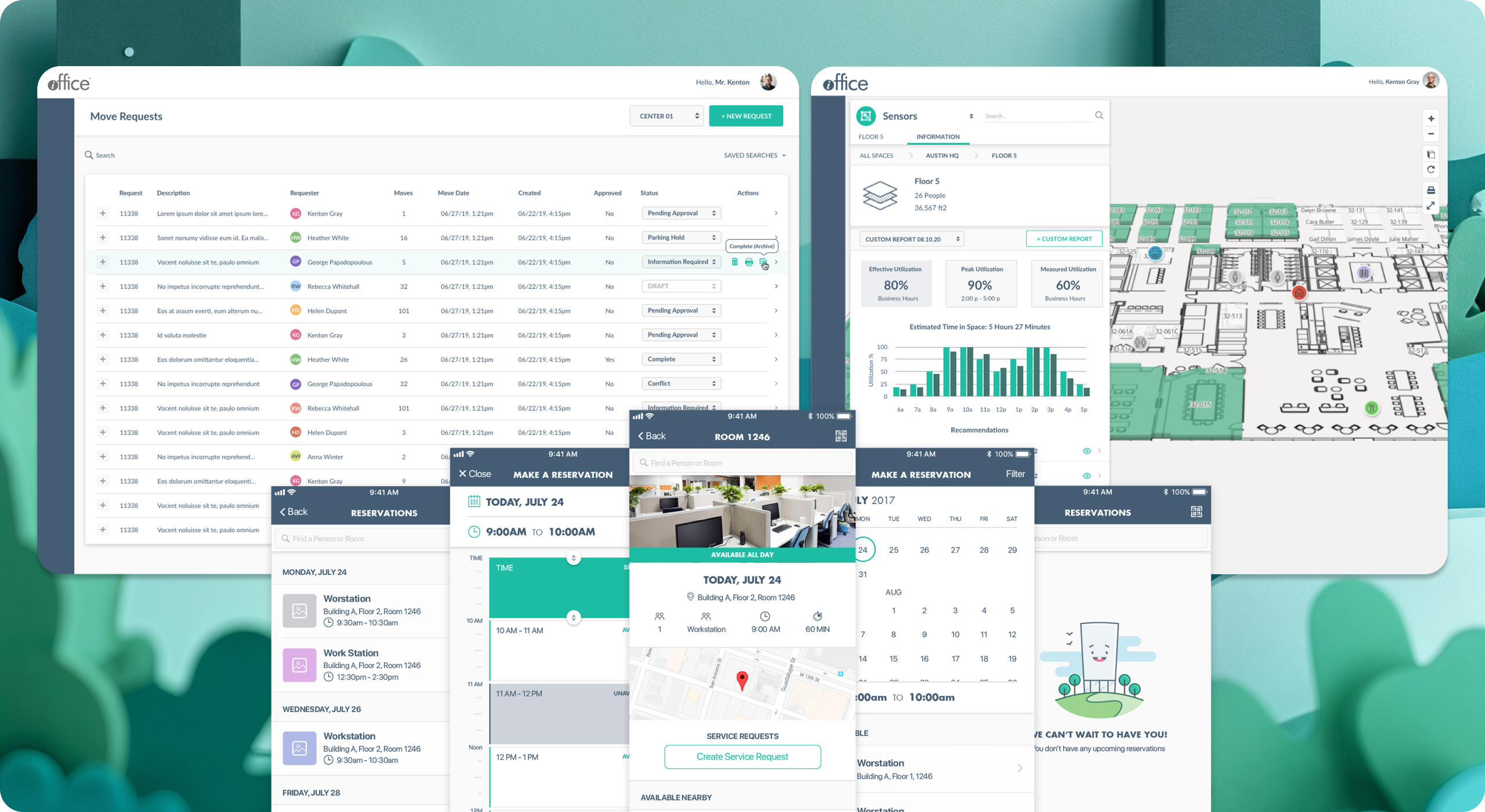
Showcase of iOffice design system work done with SeaLab
On versioning: semantic versioning (major.minor.patch) is a pattern that works and that engineering teams already understand. Use it. Communicate breaking changes through a changelog that explains why a change happened, not just what changed. Teams need to trust that upgrading won't silently break their product.
5. Design System Metrics: How to Know If Your System Is Working
A mature approach to design system metrics focuses on adoption and impact, not just completion. The questions worth tracking:
Adoption rate: What percentage of new product UI is built with system components vs. custom-coded one-offs? This is the single most useful signal. A system with 80% adoption is working. A system with 30% adoption has a contribution or trust problem.
Time to first use: How quickly can a new engineer or designer ship something using the system without needing help? This measures documentation quality and component API clarity more honestly than any internal review.
Reduction in design-to-dev handoff cycles: One of the clearest design system ROI signals. When components are well-documented and token-aligned, the back-and-forth between design and engineering on implementation details shrinks noticeably. On the TopDecked mobile app project, a system-first approach to the design-to-dev handoff was one of the factors that kept the build on schedule despite a complex component surface area.
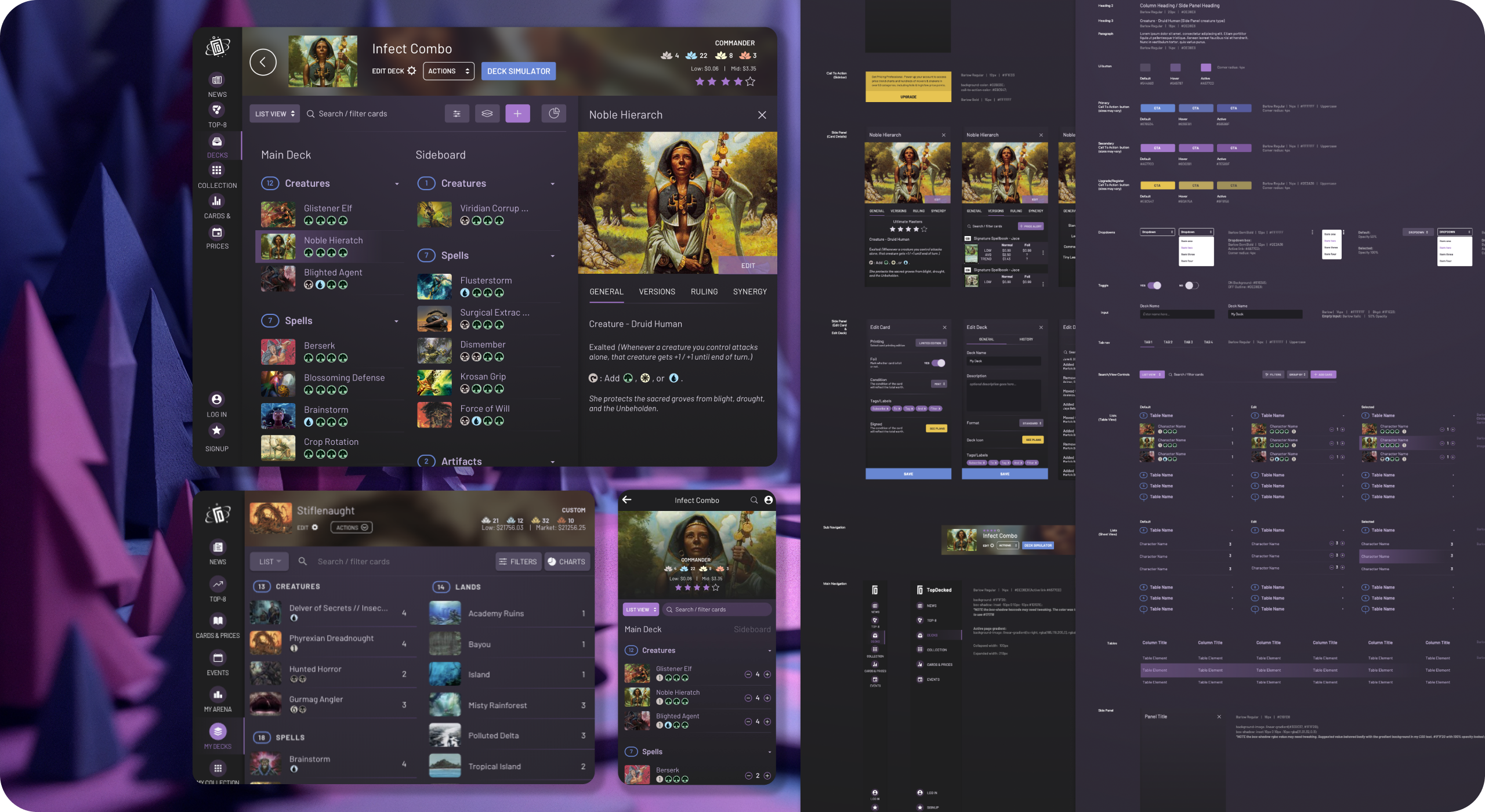
Showcase of Topdecked Design System work done with SeaLab
Defect rate on component-based screens vs. custom screens: Systems reduce implementation variance. That variance reduction shows up in QA data if you look for it.
Contribution velocity: Is the system growing through community contributions, or is it stagnant? A healthy contribution model means the system gains components from product teams, not just from the core team.
These metrics don't require complex tooling. They require a decision to track them from the start.
6. Design System Maturity Model: Where Are You and Where Are You Going?
One of the most useful framings for a design system program is thinking about maturity in stages.
Here's the maturity model we use internally:
Stage 1: Component library. A shared Figma file with reusable components. No token system. No contribution model. Governance is informal. This is where most teams start, and there's nothing wrong with it as a starting point.
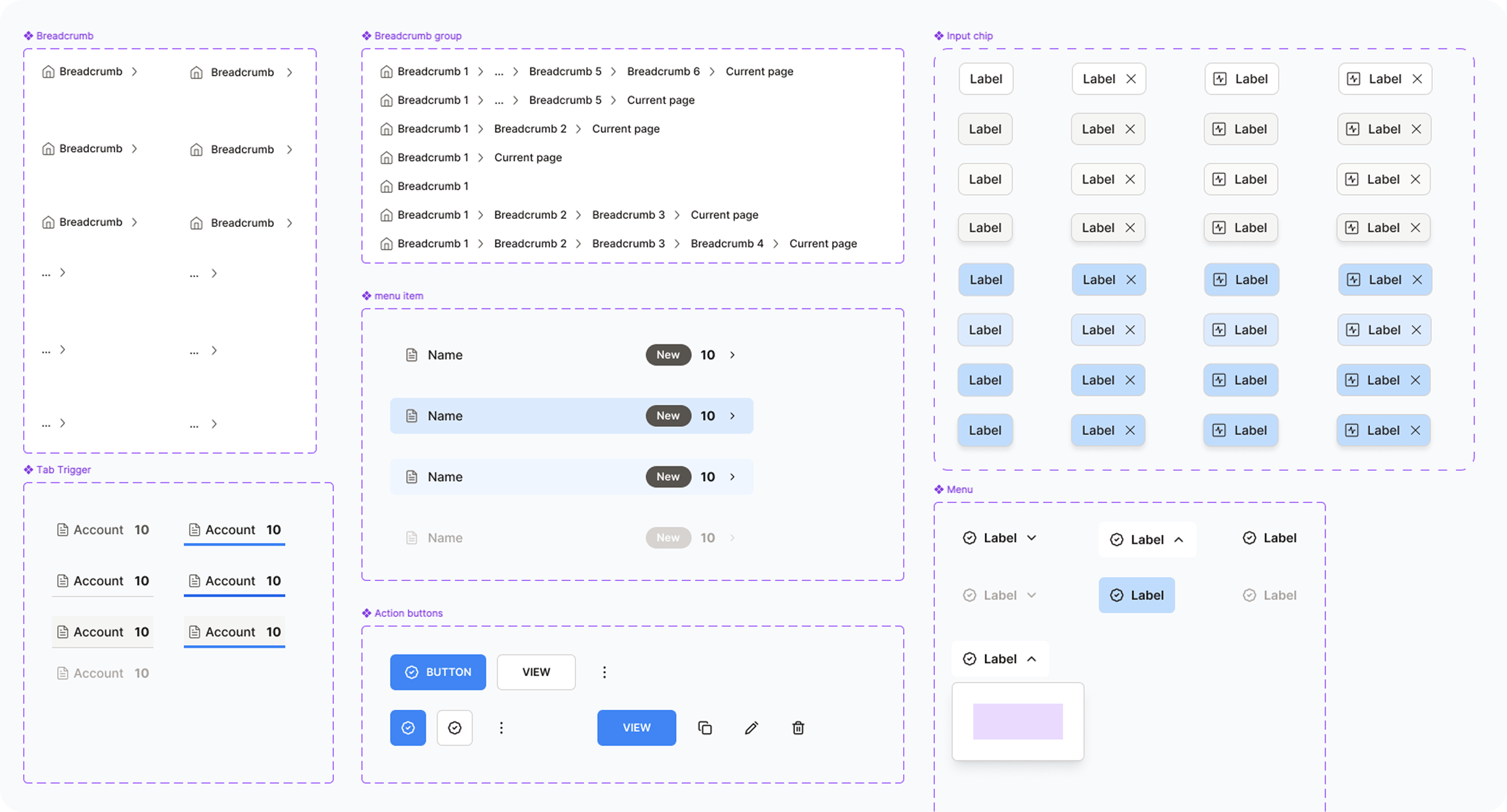
Showcase of Fomo.ai design system work done with SeaLab
Stage 2: Token-based system. Core design decisions (color, spacing, typography) are encoded in design tokens. Components reference tokens. Design and code are beginning to converge. Documentation exists but is incomplete.
Stage 3: Contribution model active. Product teams can add to the system through a defined process. There's a review gate. Ownership is clear. The system is growing without all growth coming from the core team.
Stage 4: Governance and versioning. The system has a roadmap. Breaking changes are versioned and communicated. There's a changelog. Metrics are tracked. The system behaves like a product.
Stage 5: Platform-level system. The system serves multiple products, brands, or platforms from a single source of truth. Theming is robust. The system for AI-native and AI-adjacent components has been considered and designed for. This is the stage where design system ROI is most clearly measurable and most significant.
Most teams we work with are between stages 2 and 3 when they come to us. The gap between stage 2 and stage 3 is almost always a people and process problem, not a tooling problem.
7. Can You Really Build a Design System in 90 Days?
The "design system in 90 days" question comes up often, and the answer is: it depends what you mean by "design system."
Can you build a foundational system, with core token architecture, 20 to 30 high-frequency components, a documentation framework, and a contribution model skeleton, in 90 days with a focused team? Yes. We've done it. It requires scoped ambition, decisive stakeholder alignment, and being willing to ship something that's right rather than complete.
What you cannot do in 90 days is build a system that covers every surface, anticipates every edge case, and has a fully mature governance structure. That's 18 months of iteration, not 90 days of sprints.
The 90-day frame is most useful as a constraint for the foundation phase, the set of deliverables that gives product teams enough to build on while the system matures in parallel.
What makes 90 days achievable:
- Starting with an audit of what already exists rather than building from scratch
- Prioritizing the components that appear most frequently across existing screens
- Running design and engineering in parallel rather than sequentially
- Using the design system maturity model to explicitly define what "done" looks like for v1
What blows 90-day timelines:
- Trying to achieve universal stakeholder buy-in before building anything
- Designing components in isolation without testing them in real product contexts
- Treating documentation as a phase that happens after the components are done
- Scoping a Stage 4 system when the team is ready for Stage 2
On the eLearning platform design system project, the 90-day constraint was part of what kept the scope honest. We defined the foundation phase explicitly, shipped it, and built the contribution model from real usage patterns rather than hypothetical ones.
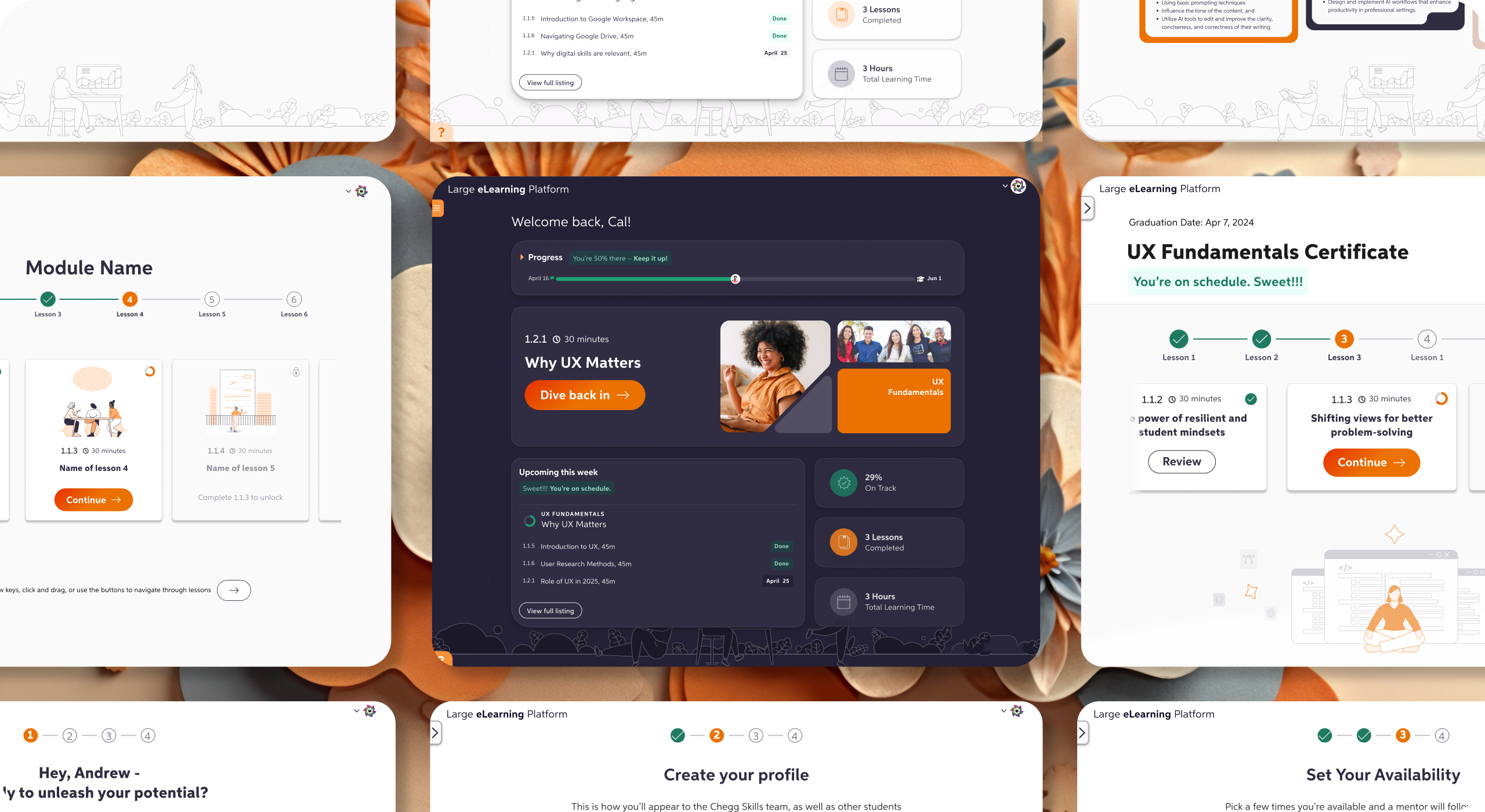
Showcase of work with elearning platform after design system alignment with SeaLab
8. Building for AI: What Changes and What Doesn't
Designing a design system for AI-powered products introduces some components and patterns that don't exist in traditional UI systems: streaming text containers, confidence indicators, loading states for non-deterministic operations, feedback mechanisms for model outputs.
These components follow the same system principles as everything else. They need tokens, documentation, and naming conventions. What changes is the component surface area and the need to design for states that are inherently variable.
A few practical notes from our experience:
Streaming and loading states need more granularity. Traditional loading states (spinner, skeleton) don't cover the range of states in an AI interaction: waiting, generating, interrupted, complete with caveats, complete with errors. Design your state vocabulary before you design the components.
Feedback and correction components are first-class. In a traditional UI, error handling is a secondary concern. In an AI-native product, the ability for users to signal that something is wrong or incomplete is a core interaction pattern. Build it into the system from the start.
Confidence and uncertainty need visual representation. Users need to understand when an AI output is high-confidence vs. speculative. Your design system should have a shared vocabulary for this, not a one-off solution in every product team's implementation.
The teams that treat AI components as special cases that live outside the system pay for it later. The teams that fold them into the system from the start end up with more consistent products and a faster path to iteration.
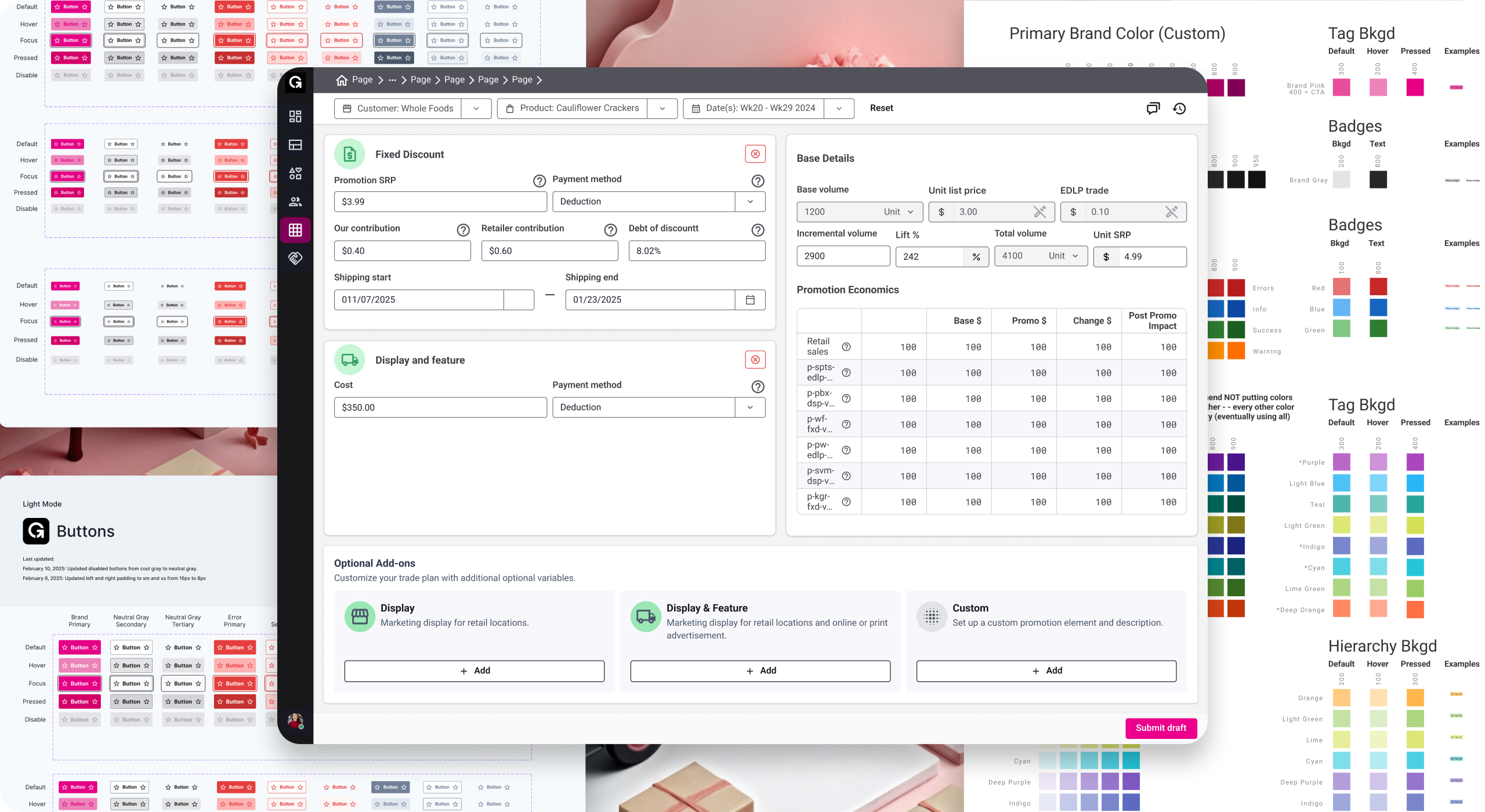
Showcase of Goods.inc UI after design system alignment with SeaLab
What the Best Systems Have in Common
Across the builds we've been part of, the systems that earn lasting adoption share a few traits that have nothing to do with the components themselves:
They were built with engineers, not handed to them. The best design-engineering relationships in a system build involve engineers in naming decisions, token architecture, and component API design, not just implementation. When engineers have co-ownership, they advocate for the system.
They made a short list of explicit tradeoffs. Every system has constraints. The teams that thrived were honest with themselves and their stakeholders about what the system would and wouldn't do in v1. The teams that struggled tried to solve every problem at once.
They treated the system as a product. Roadmap, backlog, changelog, versioning, user feedback loops. The system has users. Those users have needs that evolve. Systems that don't behave like products don't get maintained like products.
They made the design-to-dev handoff a first-class concern. The system wasn't just a Figma artifact. It had a code counterpart, and the relationship between the two was documented and maintained. That handoff quality is often where design system ROI is most immediately felt.
They made contribution easy enough that it actually happened. The contribution model existed, was documented, and was actively encouraged. The first external contribution was celebrated, not just processed.
Starting Points
If you're early in a design system build, the most useful thing we can offer isn't a framework. It's a set of questions to answer before you design the first component:
- What does "naming" mean for your organization? Do design and engineering already share a vocabulary, or do you need to create one?
- What's your documentation bar, and who owns keeping it current?
- What does contribution look like in practice for your team structure and capacity?
- Who has the authority to make system decisions, and how do you handle disagreement?
- What does done look like for v1, what's in, and what's explicitly out?
- How will you measure whether the system is working after launch?
The answers to those questions will shape every technical decision that follows.